Morning
A slow start
- Open the curtains
- Glass of water
- Make the bed
Your routine already repeats. Your checklist should too.
Built on honest defaults
The ritual
Add routines once and organize them by time of day.
Tap any task for a satisfying hand-drawn cross-off.
Return tomorrow to the same routines, reset and ready.
Illustrative demo — tap to cross off
A better you,
again today

Try it yourself.
A simplified sketch of the core loop, not every feature of the newest app. Switch categories, cross off tasks, and hear the pencil scratch sound.
0 of 5 crossed off — progress ring above reflects this live.
Your everyday routines
A few everyday routines you might keep in Again. Write them once; they return fresh tomorrow.
Morning
Afternoon
Evening
Anytime
Morning
Anytime
Evening
Afternoon
The actual app
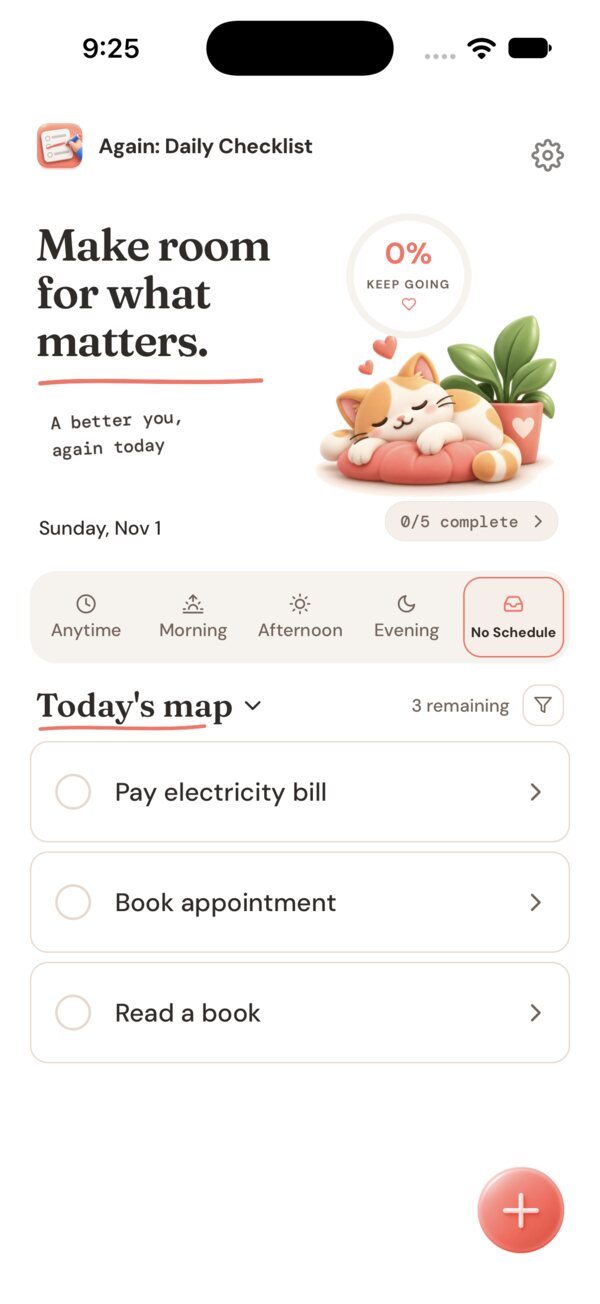
Again organises your day into Anytime, Morning, Afternoon, Evening and No Schedule tabs. Add a task in a breath, or build one from a template. Your list resets at the start of each new day.
Room for the loose ends.
Five tabs: Anytime, Morning, Afternoon, Evening and No Schedule, for the things that just need doing today.
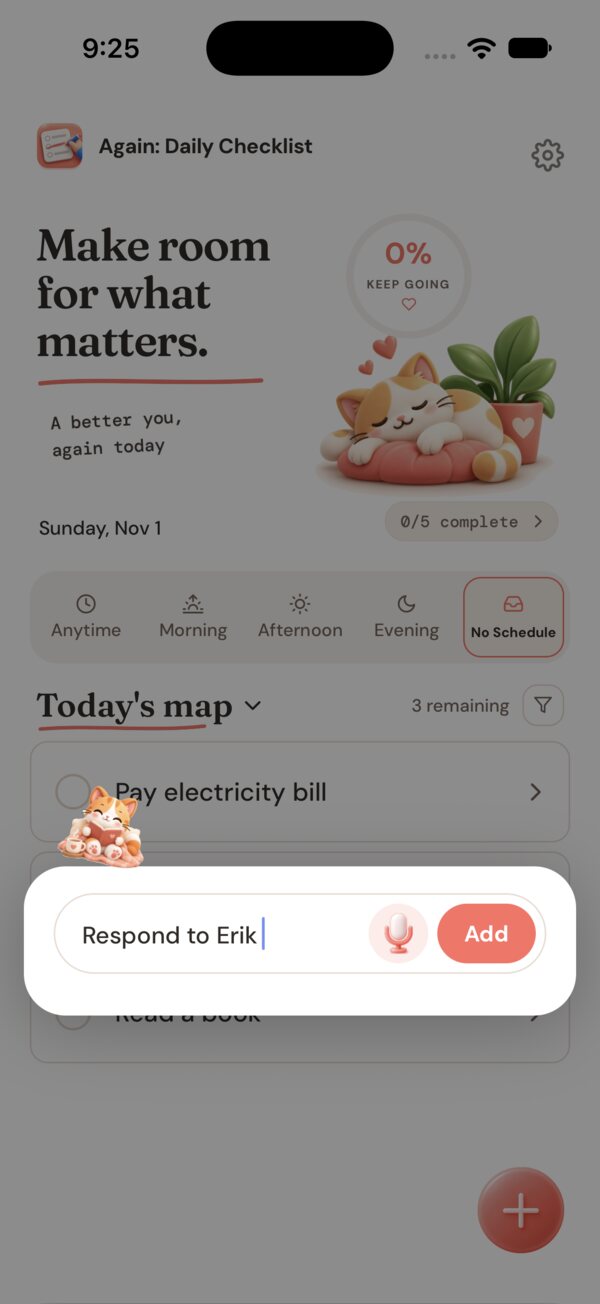
Add it in a breath.
Tap the coral + and type, or speak. One field, one Add button, and the task lands in today's list.
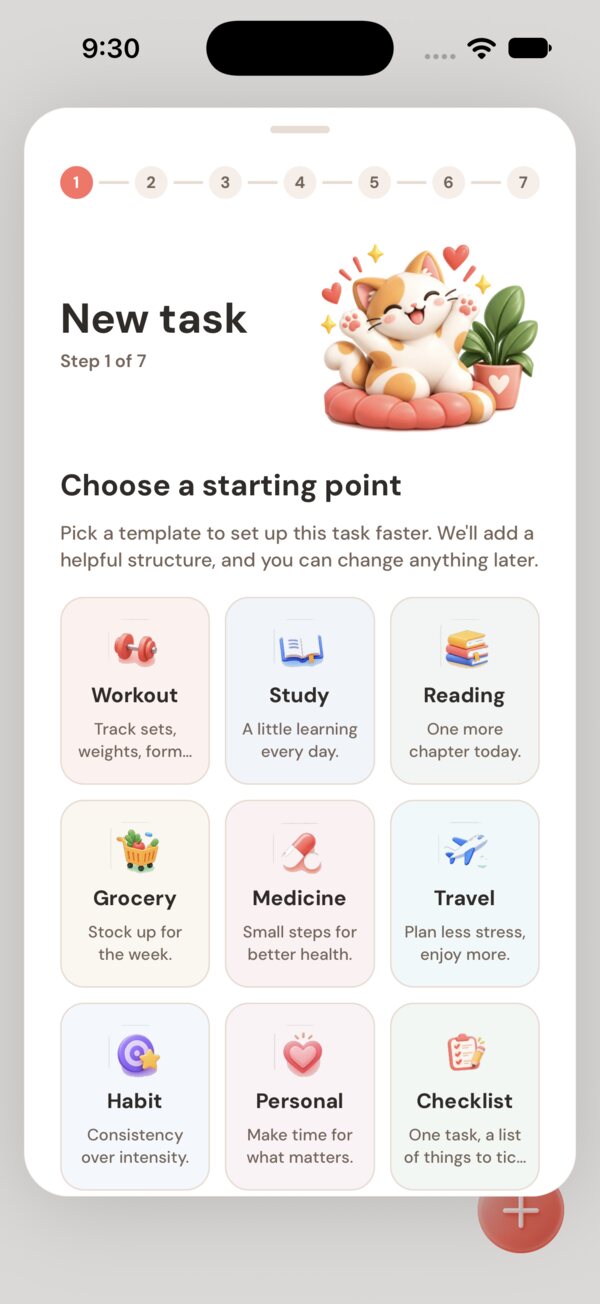
Or start from a template.
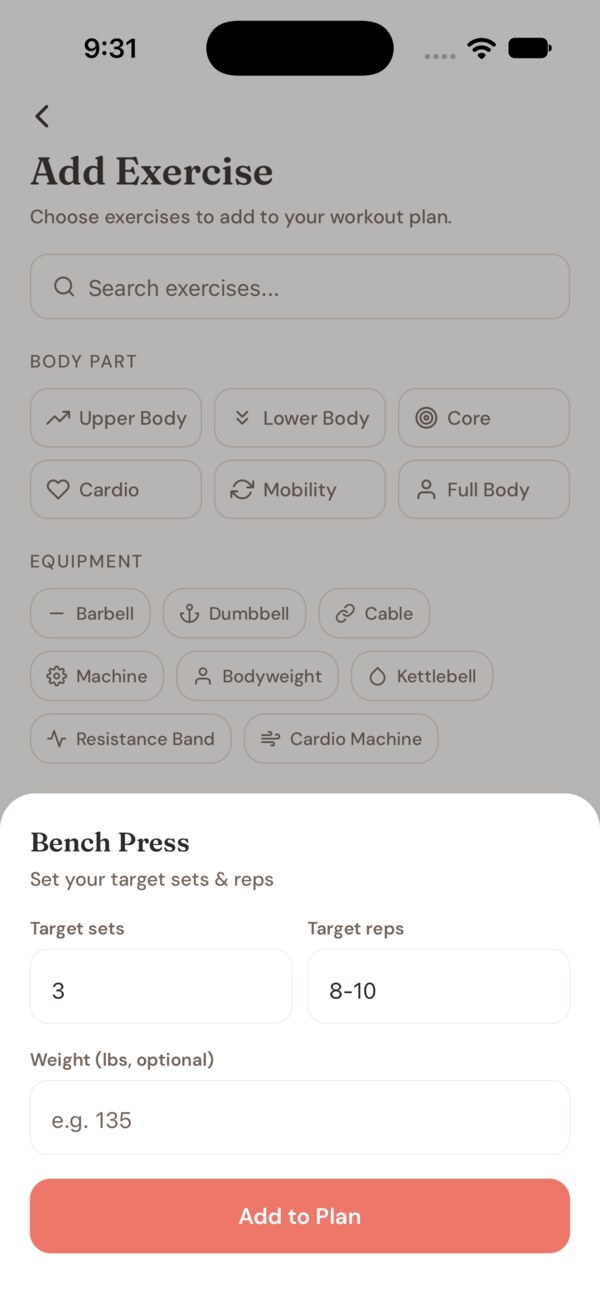
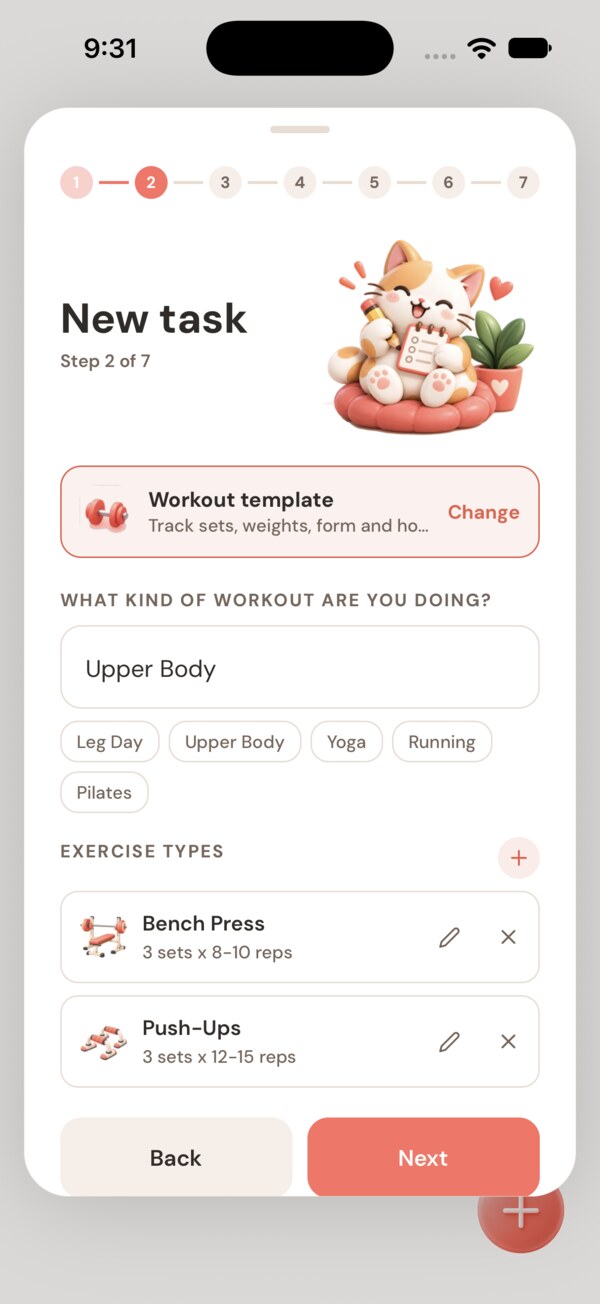
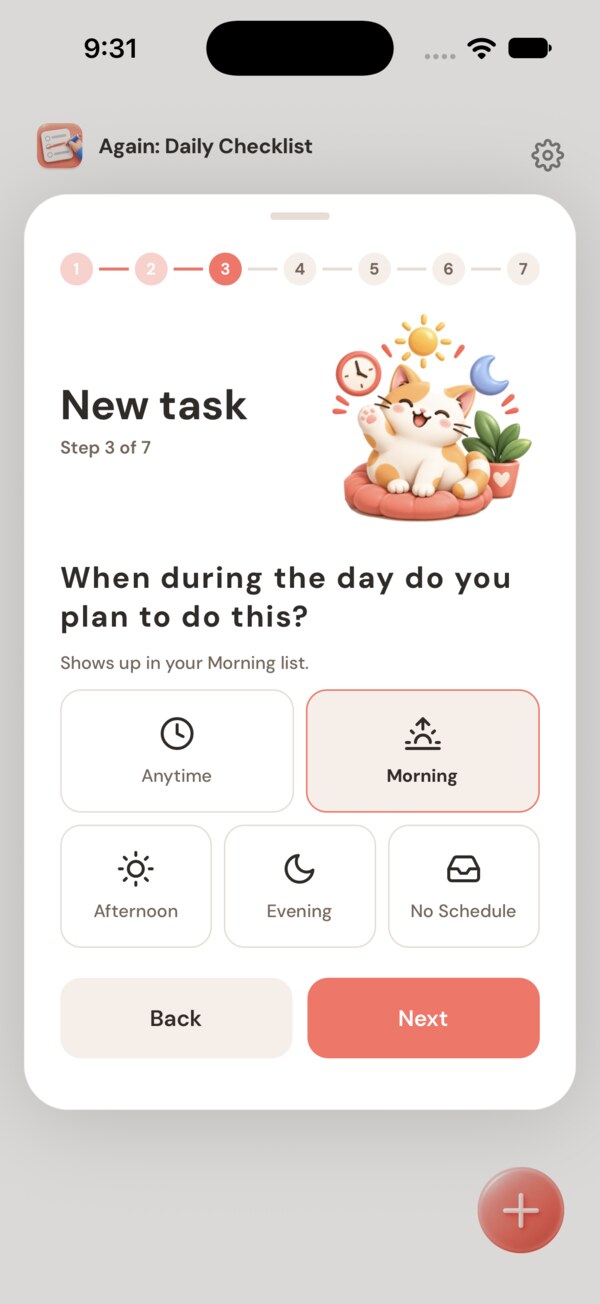
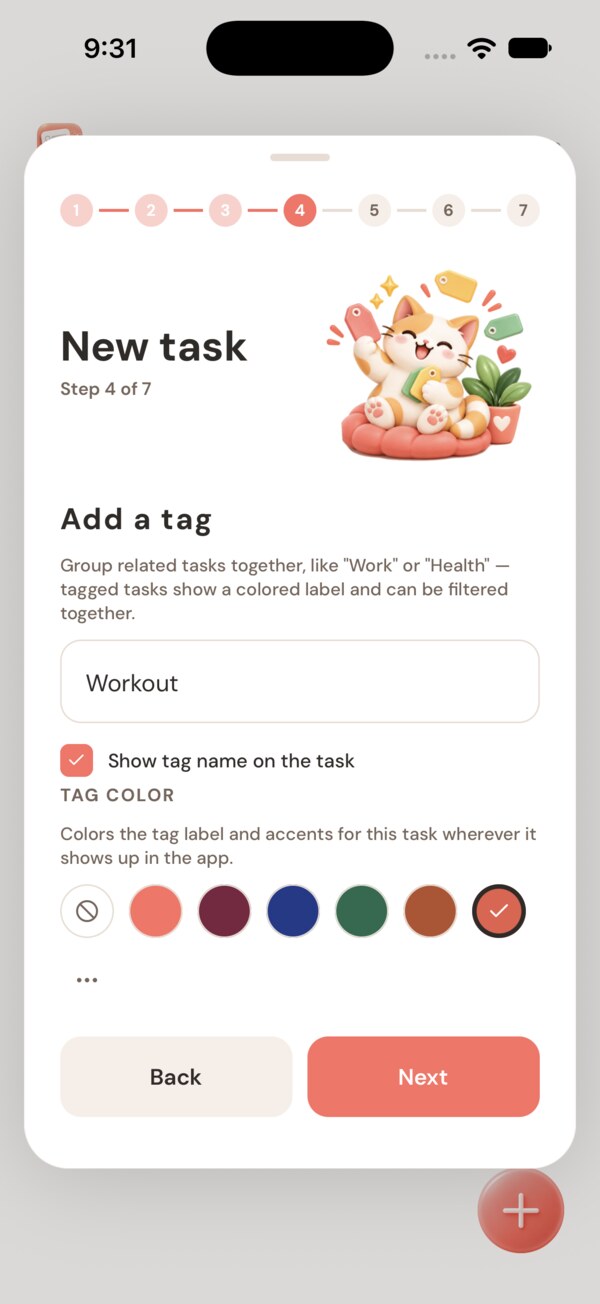
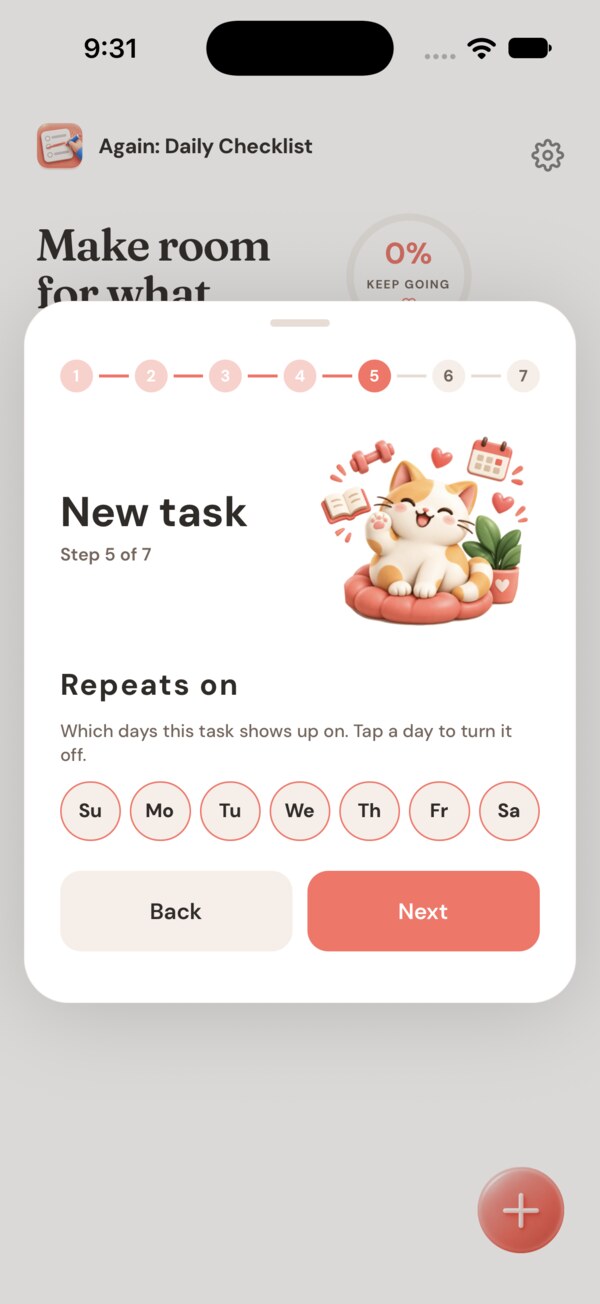
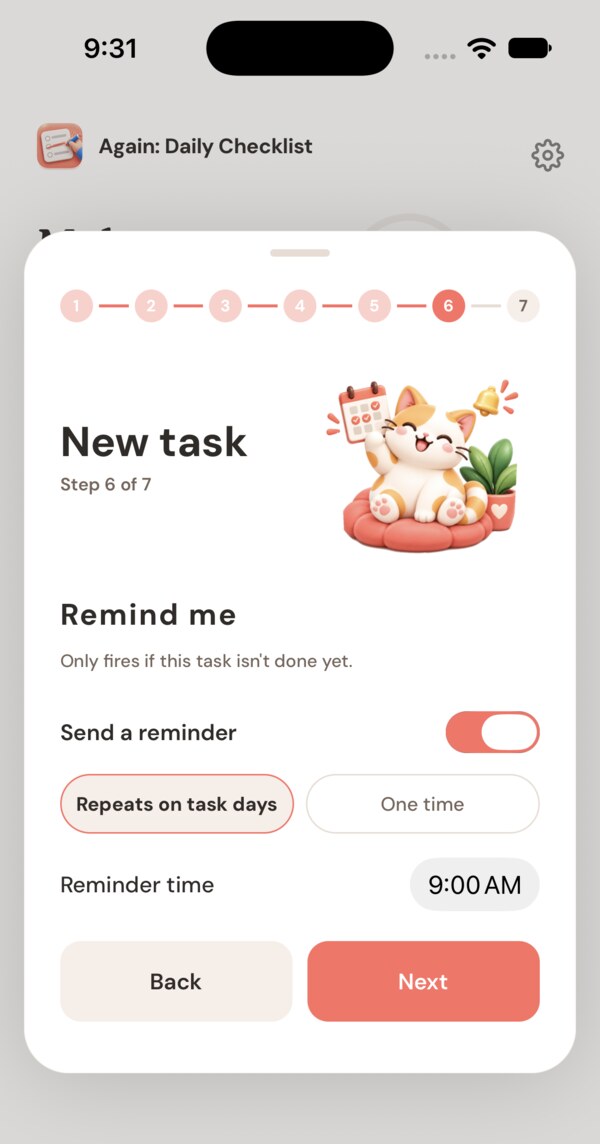
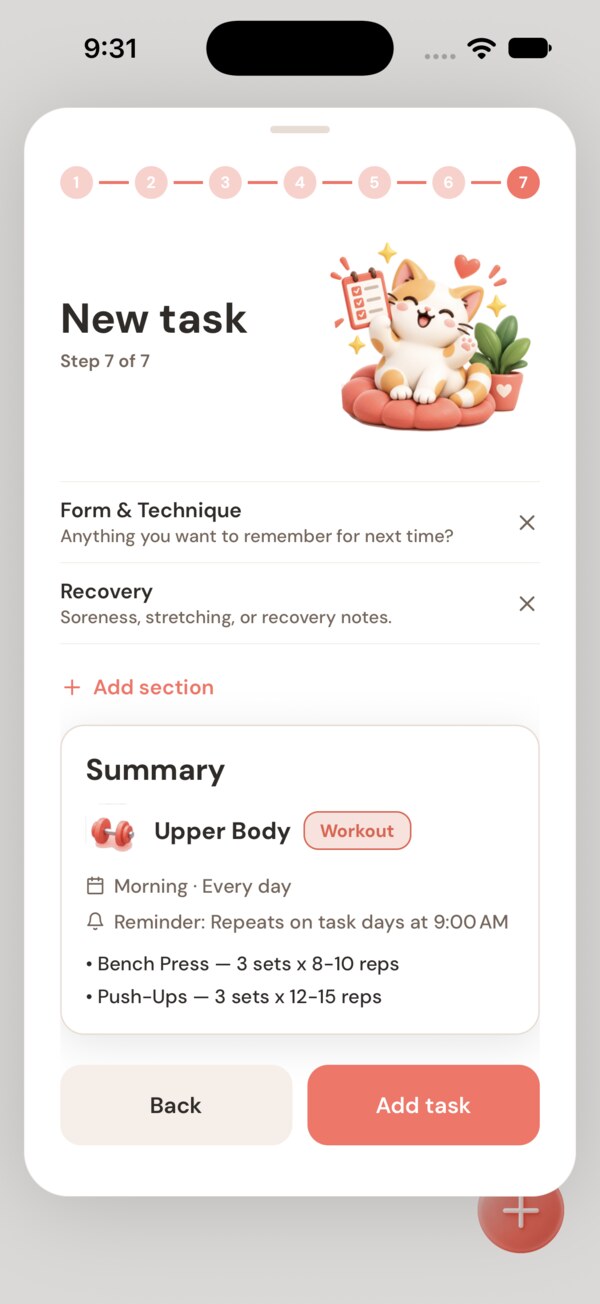
A seven-step guide sets up workouts, study, medicine, travel and more. Change anything later.
Same list. Every morning.
Again resets at the start of each new day. Yesterday stays in your private history, never as a debt. Just your routines, ready again.
New in Again
Make tasks your own
Quick add. Type or speak a task from the + menu, or take the detailed flow.
Guided setup. A step-by-step new-task wizard. The Edit screen is a simple settings list.
Templates. Ready-made starting points for common routines.
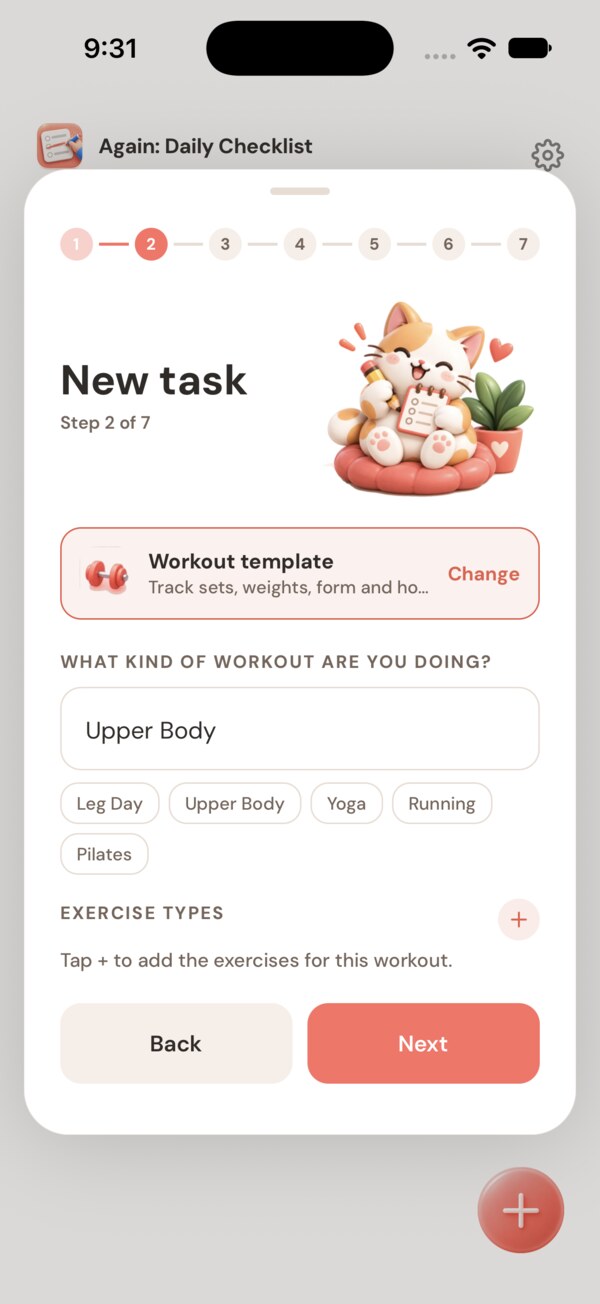
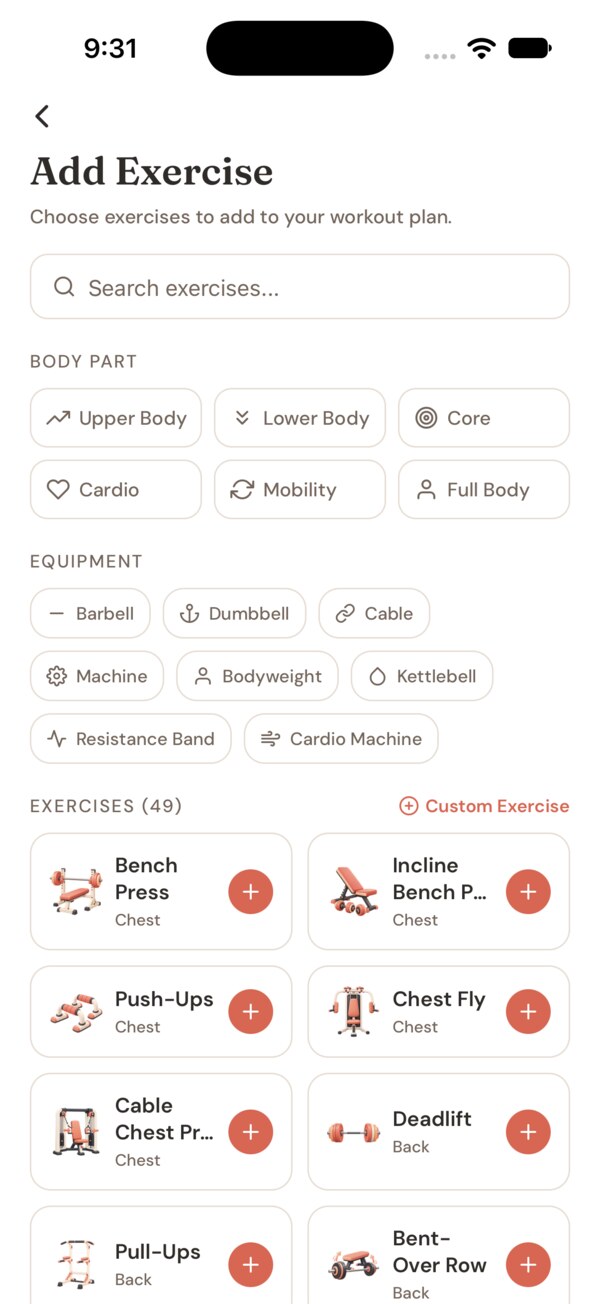
Workout builder. 48+ exercises, plus your own custom exercises and photos.
Tags. Named, colored tags per task, with a tag filter.
Schedules. Pick specific weekdays, or park tasks in the No Schedule backlog tab.
Reminders. One-time or repeating, with a tap-through popup.
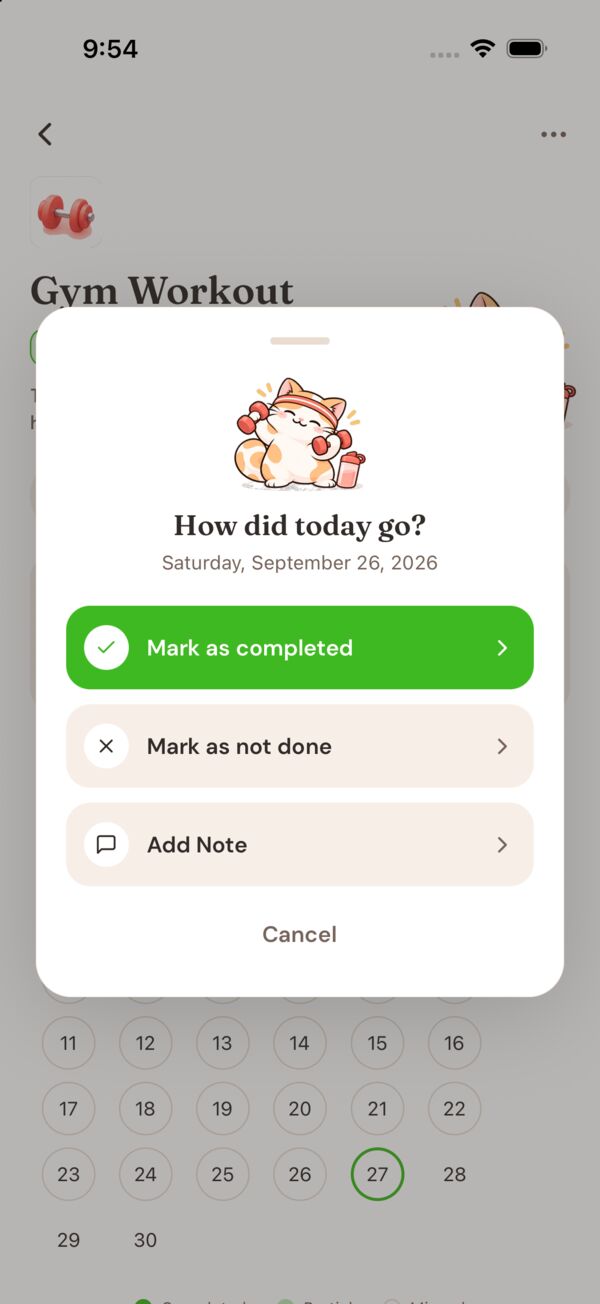
Daily notes. Notes per task and per day.
See your progress
Done today. A timeline of what you finished today.
Year history. A per-task calendar for the year. Past days can be edited.
Progress ring. A quiet ring plus a gentle nudge card.
Undo. Any delete can be undone.
Your history is there when you want to look back. It never shames a missed day, and nothing resets your progress for taking a break.
Delight
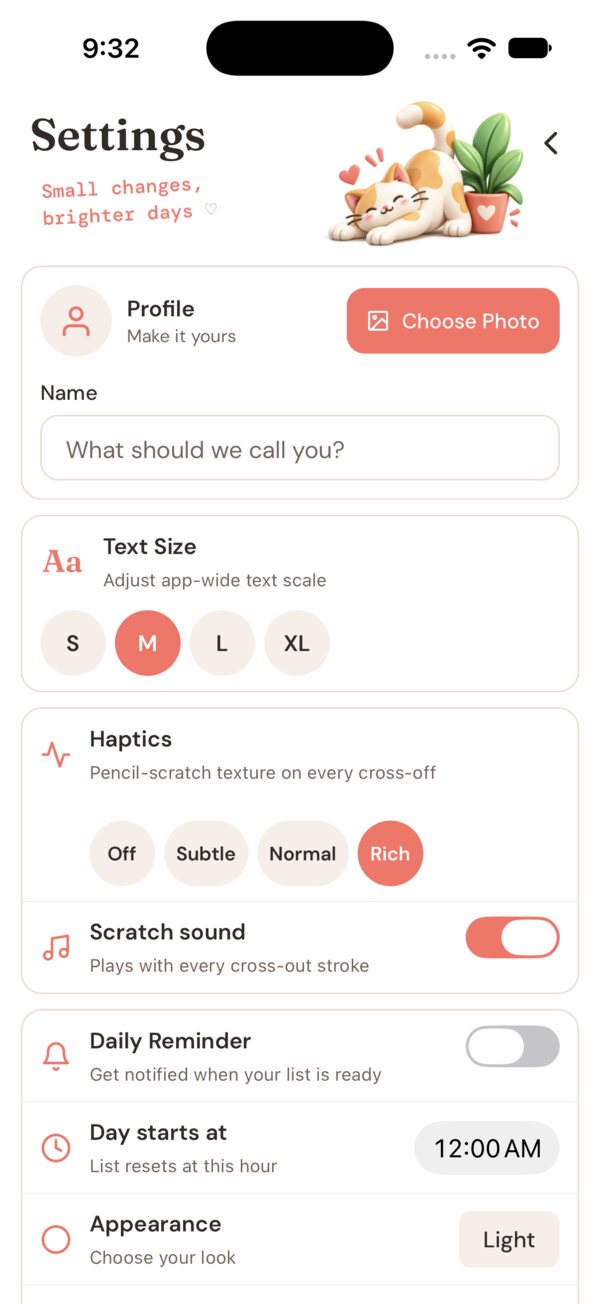
Pencil cross-off. A hand-drawn line, a scratch sound and rich haptics.
Adjustable feel. Choose Off, Subtle, Normal or Rich intensity.
3D cat mascots. Celebrations, moods and a splash screen.
Gentle start. Interactive onboarding and a home tour.
Comfortable to read. Light mode by default, accent colors and a text-size control.
Everywhere you are
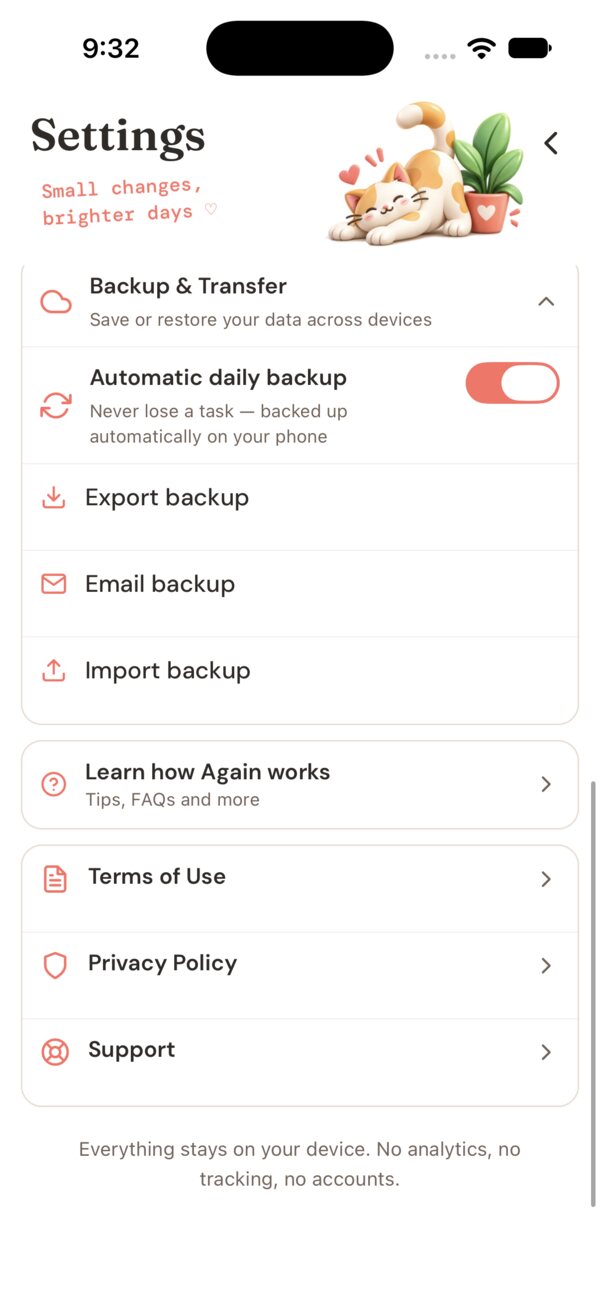
Automatic backup. Your tasks are backed up for you.
JSON export and import. Save a readable copy any time and bring it back later.
Local-first. No account, no sign-in and no Again servers holding your data.
What's inside
Time of day
Time-of-day tabs let you organize routines by when they fit your day — without rigid scheduling — plus a No Schedule tab for one-off tasks. Switch between them in a single tap. Each holds its own list and empty state.
Morning: 3 task examples.
Daily reset
Again stores completions per logical date, not as permanent booleans. Every new day starts with the same routines, uncrossed, ready again. Missed days carry no penalty.
Today — fresh start
Same items. Same order. No crossed marks.
Settings
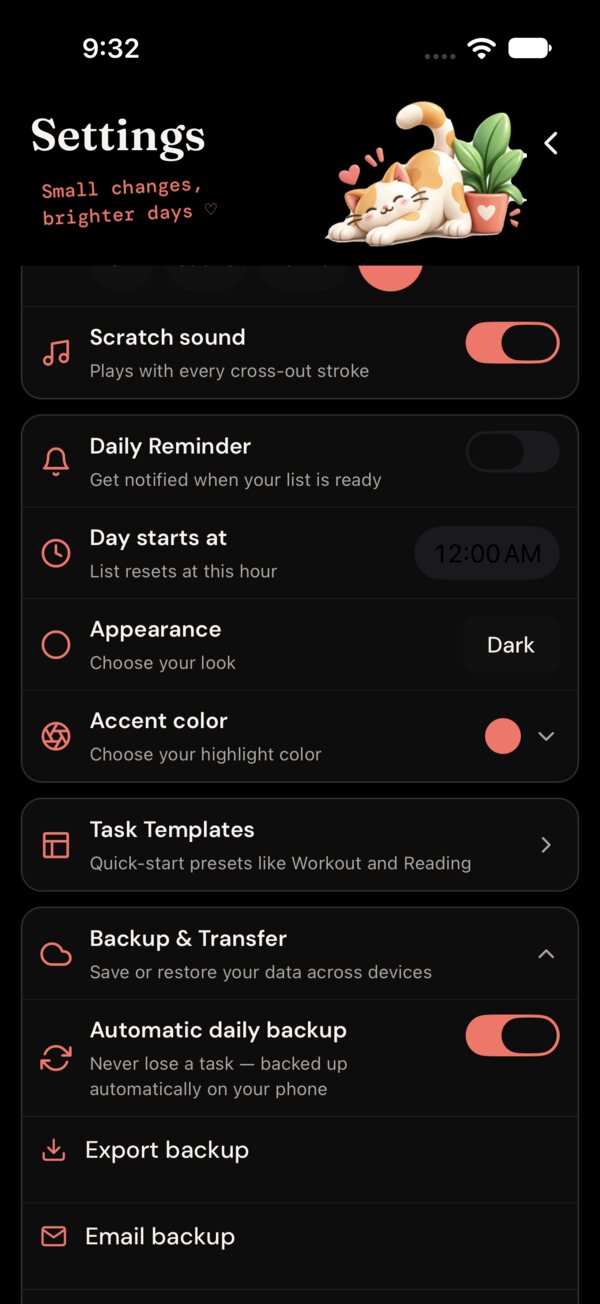
Haptic intensity, pencil scratch sound, configurable day-start hour, light mode by default with dark available, a text-size control and a full accent-color picker. No subscription required for any of it.
Backup
Automatic backup keeps a safety copy for you. Export a human-readable JSON file any time and import it again later. No account, no cloud service of ours.
The details
Six small decisions — from the first cross-off to full personalisation — that make Again feel considered rather than rushed.

Cross it off
Stroke, haptic, scratch
A hand-drawn line, optional haptics, and a pencil-scratch sound confirm the tap.

Put it in order
Long-press to rearrange
Drag any item to a new slot. Order persists between days and relaunches.

Set your day
Reset when you say so
Night owl? Move day-start to 2 AM so late habits count for the right date.

Add a nudge
Reminders only if enabled
One-time or repeating reminders per task. Permission is requested only when you turn one on.

Make it yours
Accent and appearance
Hue wheel, presets and brightness, in light or dark appearance.

Use it your way
Type, VoiceOver, motion
Dynamic Type, VoiceOver labels, Reduce Motion, 56-pt targets, strong contrast.
Cross it off
Stroke, haptic, scratch
A hand-drawn line, optional haptics, and a pencil-scratch sound confirm the tap.
Put it in order
Long-press to rearrange
Drag any item to a new slot. Order persists between days and relaunches.
Set your day
Reset when you say so
Night owl? Move day-start to 2 AM so late habits count for the right date.
Add a nudge
Reminders only if enabled
One-time or repeating reminders per task. Permission is requested only when you turn one on.
Make it yours
Accent and appearance
Hue wheel, presets and brightness, in light or dark appearance.
Use it your way
Type, VoiceOver, motion
Dynamic Type, VoiceOver labels, Reduce Motion, 56-pt targets, strong contrast.
Philosophy
Again keeps a private history for reflection, not for pressure. No streak pressure, no leaderboards, no missed-day warnings, no guilt-based prompts. The crossed-off list itself is the reward. Missed a day? Nothing breaks. Come back when you're ready.

Content. No pressure required.
Common questions
Again is ready for iPhone, iPad and Mac. Android is coming soon. Add your routines once. Cross them off. Return tomorrow.
Free to download. No subscription. No in-app purchases.